Your bots. Your computer.
YarGPT is an open-source app that runs personal AI agents on your Mac or Linux machine, through Claude Code and your own Claude account.
For Apple silicon and Intel. Needs Claude Code 2.1.319 or later, signed in.
Linux, or build from source
git clone https://github.com/yarlson/yargpt.git
cd yargpt && mise install && make build
./bin/yargpt
Building needs mise. Then open 127.0.0.1:7777.
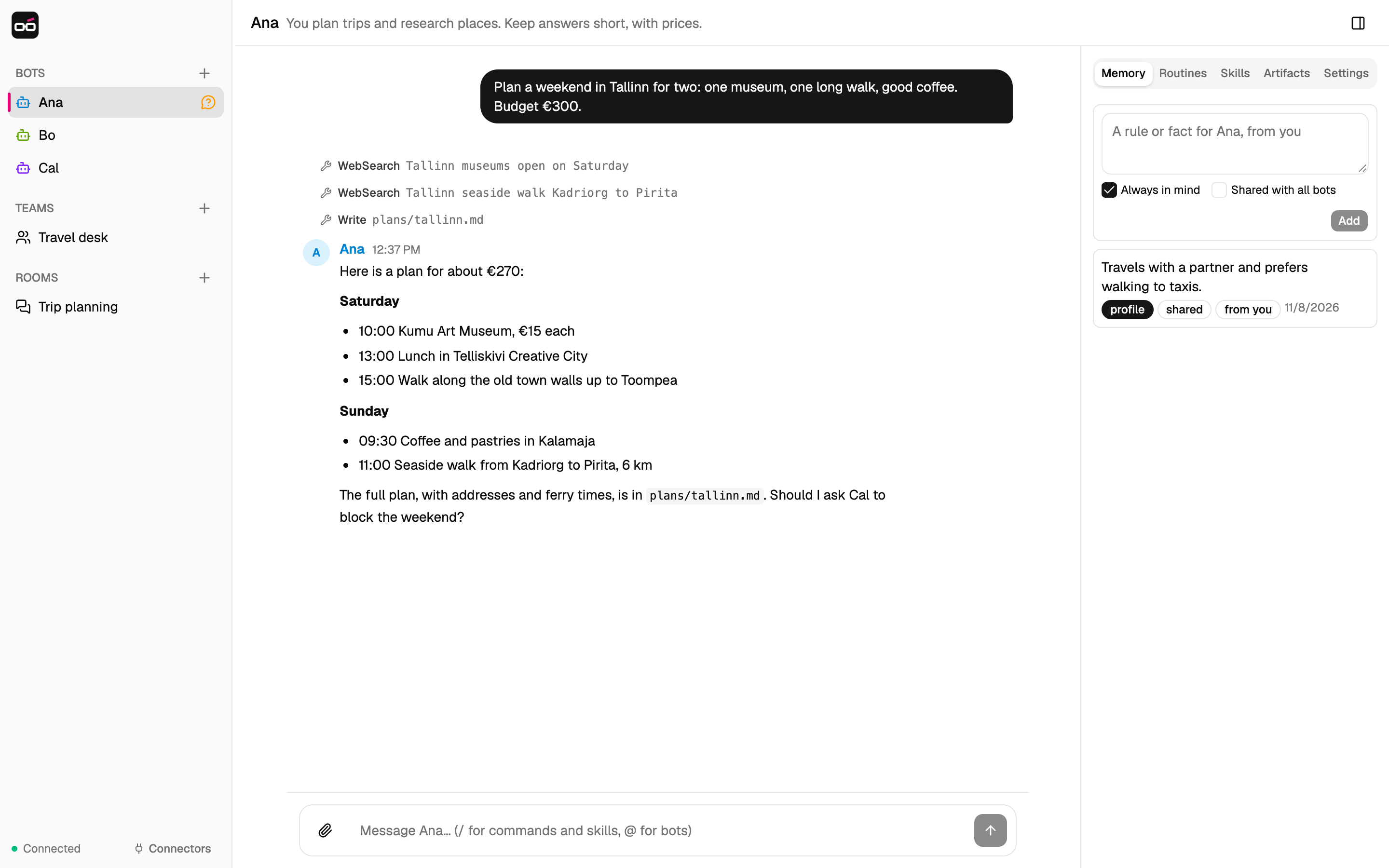
A bot is a chat, a memory and a folder. It keeps all three from one conversation to the next.
-
Memory
Facts from you or the bot, kept across conversations.
-
Routines
A prompt on a schedule, in your local time.
-
Skills
Saved procedures that every bot can run.
-
Approvals
A bot asks before it runs a command or changes a file.
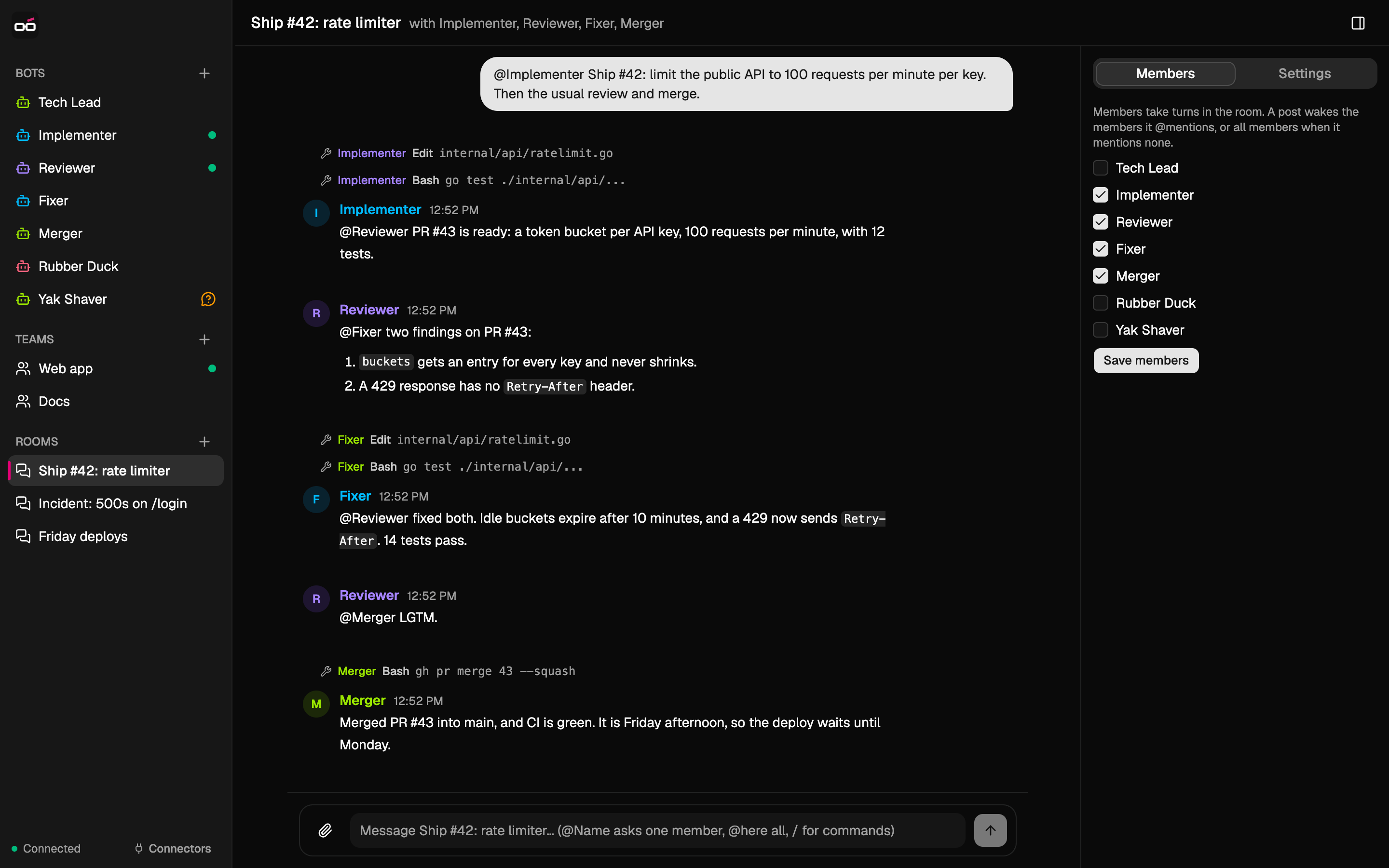
Rooms put several bots in one chat. An @mention hands the work to the next bot.
Members answer one at a time, so each one sees the earlier replies. Here, four bots ship a change: one writes it, one reviews it, one fixes it and one merges it.
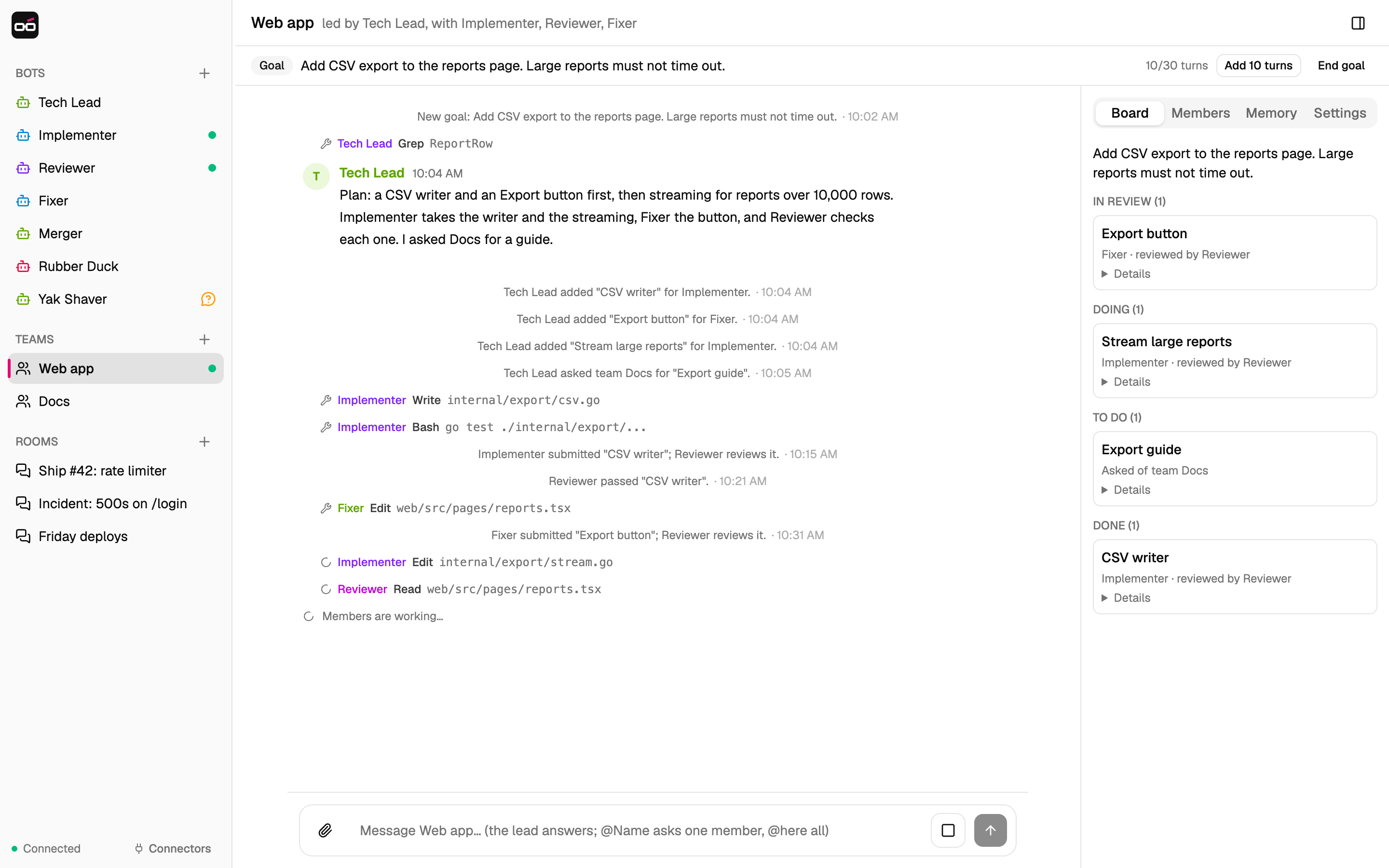
Teams work toward a goal. A lead splits it into items, and a board hands them out.
Give a team a goal. Its members work on the items, and the lead delivers the result for you to accept. Here, the Web app team adds a CSV export and asks the Docs team for a guide.
-
A lead
A message without an @mention goes to the lead. The lead plans the goal and unblocks the work.
-
A board
Each item has an owner and acceptance criteria. Items that do not depend on each other run at the same time.
-
Review
When the working agreement asks for a check, another member reviews each item before it is done.
-
A turn budget
A goal can use 30 turns by default. Then it pauses until you add more.
It all runs on your computer. There is no YarGPT cloud service.
-
Your Claude account
Each turn runs the Claude Code CLI on your machine.
-
Your files
The SQLite database and every bot's folder are in ~/.yargpt.
-
One person
YarGPT has no login. Use it on a computer that one person uses.
-
Open source
The code is on GitHub under the MIT License.